Showing posts with label Classes. Show all posts
Showing posts with label Classes. Show all posts
Use constants rather than numbers - declaring variables with FINAL statement
Suppose the government hired you to create an application that, among other things, examines whether a citizen is adulthood or not.
How would you do this conditional test?
if (age> = 21) or who knows ... if (age > 20)?
Both correct, but absolutely not recommended.
In this article we will teach an important lesson in Java: Do not use numbers, but constant.
Arrays Class: Learn how to handle (copy, sort, search and manipulate) Arrays
One of the great advantages of programming in Java is that it provides us a tremendous amount of APIs. We mean, Java comes with many classes and methods ready to be used.
In this tutorial in our online and free Java course will learn to use the Arrays class and its main methods, ordering, comparing, look, put elements in arrays / vectors of utilities among other series.
Java Video lesson: How to use the Scanner Class
This video is from the New Boston project: http://thenewboston.org/ , made by Bucky Roberts.
We just find the best Java video lesson for your.
In this video tutorial, Buckey will teach us how to get the user input.
We already explained about how to get user input by Scanner Class
We just find the best Java video lesson for your.
In this video tutorial, Buckey will teach us how to get the user input.
We already explained about how to get user input by Scanner Class
How to pass variables of type String to int, float and double
In the past two articles we learned how to display messages and receive data from the dialogs box.
However, we note that the dialogs see everything as String type.
We will teach now, in our Java course how to transform what was typed as string to integer, float, double ...
Getting user data through dialogs boxes
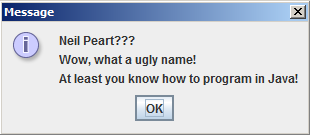 We saw in the last article that the dialog boxes are very used to display messages (mainly for errors and alerts), and show how to do this in Java.
However, it can also be used (and we show how to do this) to receive data from the user by an interface more friendly and graphical :)
Game: Guess the number raffled by the computer
 Play a game is very good and fun... but playing a game that you have created, is a pleasure that just a few have.
The Java programming language is known to be widely used for creating games. Most likely you've played a game, even online ones, are done in Java.
Based on the knowledge gained in our online course of Java, it is possible to create a game.
Although very simple, it is quite genious and cool.
The computer will randomly select a number between 1 and 1000 and you have to guess what number this is.
Each round you enter a number and the computer will give you the tips, saying the number you typed is greater or less than the number it choose.
Ends when you hit, and he keeps the number of attempts you made. Can you beat your own record?
You know what's the best strategy?
Math Class: constants, main methods and calling methods from other classes
+do+Java.+Al%C3%A9m+de+aprender+como+chamar+m%C3%A9todos+de+outras+classes..jpg "Learn the main methods, constants and how to use the Math class in Java. And learn how to make call to methods from other class.") Let us study an important class, the Math Class, which comes several mathematical functions that will help us greatly in our complete an free Java course.
Let us study an important class, the Math Class, which comes several mathematical functions that will help us greatly in our complete an free Java course.Allied to this large and powerful class with our Methods section, we'll learn how to use the methods that are declared in a different class that we're making the call.
Java, getting user data: class Scanner
Until now we define variables when we were programming.
But what if we wanted to get information from the user?
For example, ask for age or to create a calculator? Would depend on what was typed.
We will use the Scanner class to receive these data.
Subscribe to:
Posts (Atom)